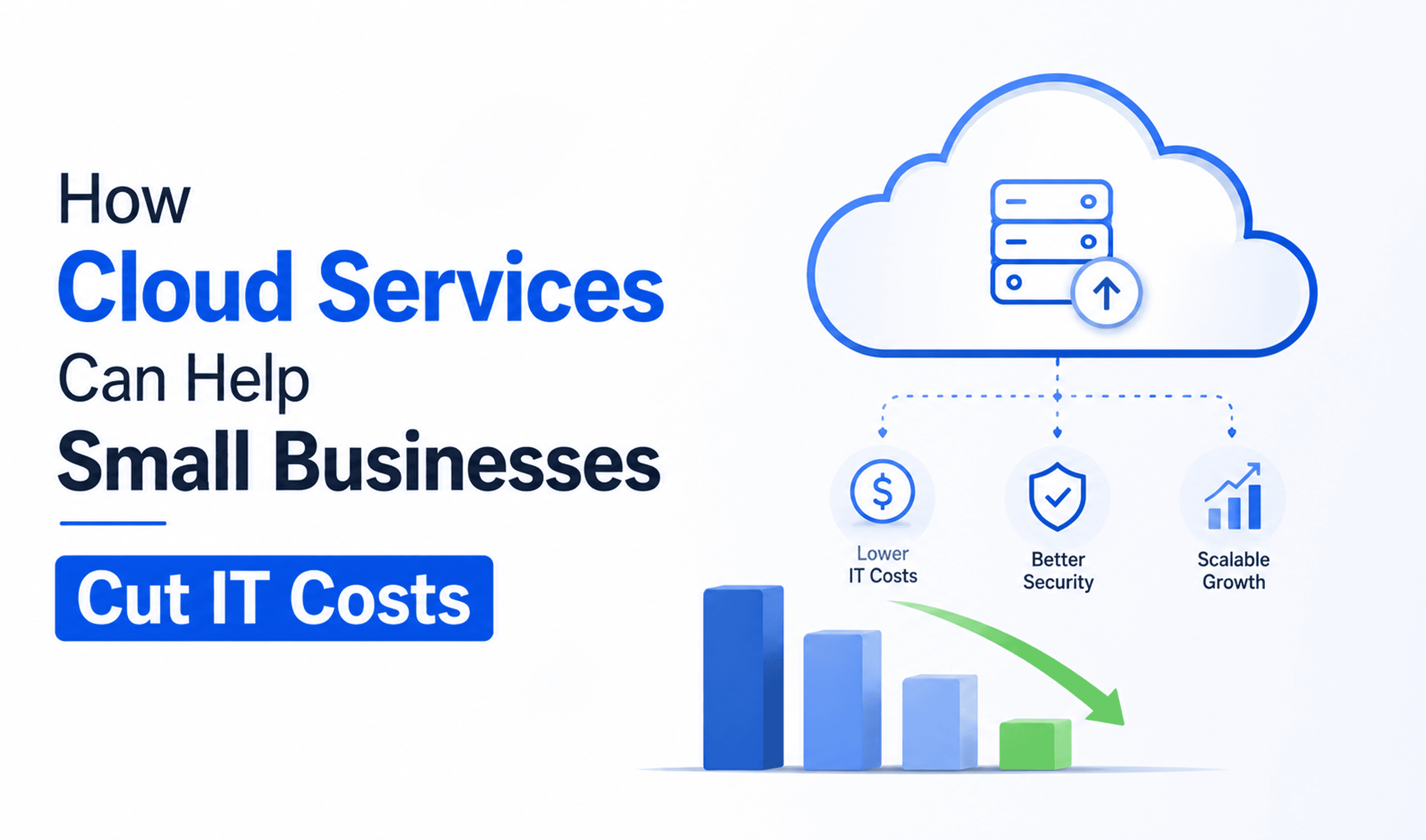
If your business is still running on physical servers, paying for hardware that breaks, and spending half your IT budget on maintenance, there is a good chance you are paying more than you need to for technology that is holding you back.
Cloud services have changed the economics of IT for small businesses completely. In 2026, cloud migration drives an average 20 to 30% reduction in IT costs, and SMBs are projected to allocate more than half of their technology budgets to cloud services. According to McKinsey, targeted cloud optimisation alone can cut up to 25% of IT program costs for businesses of all sizes.
This guide covers exactly how cloud services cut costs, what you are really comparing when you weigh cloud against on-premise, and how to decide whether making the switch makes sense for your business right now.
What Are Cloud Services, in Plain Language?
Cloud services simply mean using software, storage, and computing power that lives on the internet rather than on physical hardware in your office. Instead of buying a server, installing software on it, and maintaining it yourself, you access everything through your internet connection and pay a monthly or annual subscription fee.
You almost certainly already use cloud services without thinking about it. Microsoft 365, Google Workspace, Dropbox, QuickBooks Online, Zoom, and Xero are all cloud services. The question for most small businesses is not whether to use any cloud at all, but how far to go and whether a fuller migration makes financial sense.
There are three main types of business cloud solutions:
- Software as a Service (SaaS): Ready-to-use applications accessed via a browser or app. Examples include Microsoft 365, Salesforce, and Xero. No installation, no maintenance.
- Infrastructure as a Service (IaaS): Virtual servers, storage, and networking that replace physical hardware. Examples include AWS, Microsoft Azure, and Google Cloud.
- Platform as a Service (PaaS): A development environment in the cloud for businesses that build their own software. Less relevant for most SMBs, but worth knowing.
For the majority of small businesses, the most impactful shift is moving from on-premise servers and local software to a combination of SaaS tools and cloud-hosted infrastructure.
The Real Cost of Running On-Premise IT
To understand the cloud migration benefits, you first need to understand what on-premise IT is actually costing you. Most business owners focus on the obvious costs and underestimate the hidden costs that keep adding up year after year.
Hardware purchase and depreciation
A server capable of handling the needs of a 20 to 50-person business typically costs between $5,000 and $20,000 upfront. Hardware vendors typically charge 10 to 15% of the purchase price for annual maintenance and support. That is another $500 to $3,000 per year, every year. And most businesses need to replace or significantly upgrade hardware every three to five years.
IT staff time
The highest hidden cost in an on-premise setup is not the hardware but the people. Skilled IT staff needed for constant management, maintenance, and security patching represent a massive ongoing investment. Even if you do not have a dedicated IT person, someone in your team is spending time on this. That time has a real cost.
Power and cooling
Servers run 24 hours a day, 7 days a week, and they generate significant heat. This drives up utility bills for both powering the machines and running dedicated cooling systems.
Software licences
On-premise software often requires expensive upfront licences that need renewing or replacing when new versions come out. A Windows Server licence alone can run from $1,176 for the Standard Edition to over $6,771 for the Datacenter Edition.
Downtime and failure risk
Old hardware fails. When it does, your business stops. The older your servers get, the higher the risk, and the more expensive emergency repairs become. Even a few hours of downtime can cost a small business thousands.
The hidden total
When you add it all up across a typical five-year period, the on-premise costs will almost always exceed the cost of an equivalent cloud setup once hardware, maintenance, staff time, power, and licences are properly accounted for. McKinsey's research on cloud cost reduction confirms that businesses consistently reduce IT spending through well-managed cloud migrations.
How Cloud Services Actually Cut Your IT Costs
1. Eliminating large upfront hardware costs
The most immediate impact is removing the need to buy expensive hardware. Instead of a $10,000 server purchase, you pay a predictable monthly subscription. That capital can go back into your business, whether that is marketing, hiring, or product development, rather than sitting in a server room depreciating.
2. Shifting from unpredictable CapEx to predictable OpEx
On-premise IT is full of unexpected costs. A hard drive fails. A server needs urgent replacement. A software licence expires. With cloud services, you move from capital expenditure, the big unpredictable purchases, to operational expenditure, the fixed, predictable monthly payments. This makes budgeting far easier. No surprise bills.
3. No more hardware replacement cycles
With the cloud, you do not have to worry about replacing hardware every few years to stay up to date or avoid equipment failure. Cloud providers invest billions in their infrastructure and continuously upgrade it. You benefit from the latest technology without ever having to buy it.
4. Reduced IT maintenance burden
Cloud providers handle maintenance, security patches, and updates, leaving your IT team free to focus on more critical tasks. If you have an internal IT person, this frees them up for strategic work rather than routine maintenance.
One of our clients, a healthcare business in the Northeast US, was spending approximately 18 hours per month on server-related maintenance tasks before moving to a cloud-hosted environment. After the migration, that time dropped to near zero. Their team refocused entirely on patient-facing work.
5. Pay only for what you use
Cloud pricing is consumption-based. You scale up when you need more capacity and scale back when you do not. For a business with seasonal peaks, a growing headcount, or fluctuating storage needs, this flexibility is a genuine financial advantage over a fixed hardware investment.
6. Built-in disaster recovery
Building a proper disaster recovery setup on-premises is expensive and complex. Cloud platforms build this in by default. Your data is protected and remains recoverable in the event of a security threat, a disaster, or accidental deletion, without any additional cost or setup on your end.
7. Better security at a lower cost
94% of businesses noted improvements in their security after moving to the cloud. Cloud providers maintain dedicated security teams, run continuous monitoring, and apply patches automatically. Replicating this level of security with on-premise infrastructure would require significant investment that most small businesses simply cannot justify.
On-Premise vs. Cloud: A Plain-Language Cost Comparison
Here is a simplified side-by-side comparison to illustrate the financial difference for a typical small business with 15 to 30 employees:
| Cost Factor | On-Premise | Cloud |
|---|---|---|
| Initial hardware cost | $8,000 to $20,000 upfront | $0 |
| Monthly IT cost | Unpredictable | Fixed subscription fee |
| Hardware maintenance | 10-15% of the purchase price per year | Included |
| IT staff time for maintenance | High (ongoing) | Low (provider handles it) |
| Software licenses | Large upfront cost | Built into the monthly fee |
| Power and cooling | $800 to $1,500 per year | $0 |
| Hardware replacement (every 3-5 years) | Full cost repeated | $0 |
| Disaster recovery setup | Expensive extra investment | Included |
| Scalability | Slow and costly | Instant, on-demand |
| Security patching | Manual, often delayed | Automatic |
The key insight here is that on-premise IT looks cheaper when you only look at the monthly outgoings. But when you factor in the upfront investment, maintenance, power, staff time, and replacement cycles, the five-year total cost of ownership almost always favours the cloud for small businesses.
It is worth noting that for very stable, predictable workloads, cloud costs can sometimes exceed on-premise costs after three to four years. McKinsey's analysis covers those edge cases in detail. For growing businesses with variable demands, however, the cloud is almost always the better financial decision.
The Non-Financial Benefits That Impact Your Bottom Line
Cost reduction is not the only financial argument for cloud migration. There are indirect benefits that translate directly into business performance.
Your team can work from anywhere
Cloud-hosted systems let your team access everything they need from any device, anywhere. For businesses with remote or hybrid workers, this is no longer optional. It is a baseline expectation. Cloud infrastructure makes it possible without expensive VPN setups or remote desktop solutions.
Faster setup for new staff
Onboarding a new employee on cloud-based systems takes minutes, not hours. Accounts are created, access is granted, and they are productive from day one. On-premise setups often require manual configuration for each new user, eating into IT time and delaying productivity.
Easier collaboration
Cloud-based tools like Microsoft 365 and Google Workspace let multiple people work on the same document simultaneously, share files instantly, and communicate in real time. The productivity gains from better collaboration are significant but often go unmeasured.
Automatic updates and new features
Cloud software improves continuously. You always have access to the latest features and security updates without paying for upgrades or managing a rollout. Your tools get better over time at no extra cost.
What Does a Cloud Migration Actually Look Like for a Small Business?
Many business owners put off cloud migration because it sounds complicated, expensive, and disruptive. In reality, for a small business, a well-managed migration is straightforward. Here is what the process typically involves:
- Audit your current setup. Identify what software you use, where your data lives, and what hardware you currently rely on. This gives a clear picture of what needs to move and what can simply be switched off.
- Identify quick wins. Most businesses can move email, file storage, and common productivity tools to the cloud almost immediately with minimal disruption. This is often where the most immediate cost savings come from.
- Plan the bigger moves. Line-of-business applications like accounting software, CRM, and industry-specific tools may require more careful planning, especially if you are moving from an on-premise version to a cloud-hosted one.
- Migrate with minimal downtime. A managed migration runs alongside your existing systems until everything is confirmed to be working, then cuts over. Your team should barely notice.
- Decommission the old hardware. Once everything is confirmed to be working in the cloud, the on-premise servers are switched off. This is when the savings become tangible.
For a small business with 15 to 30 employees, a managed cloud migration typically takes between two and eight weeks, depending on complexity. The cost is usually recovered within 12 to 18 months through reduced infrastructure spending.
Common Concerns About Moving to the Cloud (Addressed Honestly)
"Is our data safe in the cloud?"
This is the most common concern, and it is a fair one. For most small businesses, cloud storage is significantly more secure than on-premise storage. Major cloud providers invest billions in physical security, encryption, and threat monitoring that no small business could replicate independently.
That said, security in the cloud is a shared responsibility. The provider secures the infrastructure. You are responsible for securing access to it. This means strong passwords, multi-factor authentication, and proper user access controls, all of which a good IT provider will help you implement.
"What if our internet goes down?"
Cloud services do require internet access. The practical response is to ensure you have a reliable, business-grade internet connection and consider a backup connection for critical operations. Major cloud platform uptime is typically 99.9% or higher, which is more reliable than most on-premise servers.
"Will migrating be disruptive?"
A well-managed migration should not meaningfully disrupt your day-to-day operations. The key is working with an experienced provider who plans the migration properly, runs it in stages, and tests everything before cutting over. We have moved dozens of businesses to the cloud without a single day of operational disruption.
"What about compliance and data sovereignty?"
If your business operates in a regulated industry like healthcare, legal, or finance, you may have specific requirements about where your data is stored and how it is handled. Most major cloud providers offer region-specific data storage options and compliance certifications, including HIPAA, ISO 27001, and SOC 2. A good IT provider will help you navigate this.
How to Know If Now Is the Right Time to Move to the Cloud
Not every business needs to migrate everything immediately. Here are signs that it is time to have a serious conversation about cloud services for your business:
- Your server is more than three years old and showing its age
- You have experienced unexpected hardware failures or data loss
- Your team increasingly works remotely or from multiple locations
- You are adding staff, and onboarding is slow and painful
- Your IT costs are unpredictable and hard to plan around
- You are paying for software licences you barely use
- A competitor or peer business has moved to the cloud and is clearly benefiting
- Your current IT setup makes it hard to adopt new tools or scale quickly
If two or more of these apply to your business, the economics of cloud migration are almost certainly in your favour.
Frequently Asked Questions (FAQ)
1. Are cloud services worth it for a small business?
For most small businesses, yes. The combination of lower hardware costs, predictable monthly spending, automatic maintenance, built-in security, and the ability to scale quickly makes cloud services a strong financial and operational choice. Research consistently shows that businesses reduce IT costs by 20 to 30% after migrating to the cloud, with additional productivity gains from better tools and remote access.
2. How much do cloud services cost for a small business?
Costs vary depending on what you need, but common cloud services are very affordable. Microsoft 365 Business Basic starts at around $6 to $12 per user per month. Cloud-hosted file storage, email, and productivity tools for a 20-person team typically run $120 to $300 per month in total, compared to the thousands in upfront hardware costs and ongoing maintenance of an equivalent on-premise setup.
3. What is the difference between cloud and on-premise IT?
On-premise IT means you own and manage physical servers and hardware in your own office or data centre. Cloud IT means your data, software, and computing power are hosted by a provider and accessed via the internet. Cloud has no large upfront hardware cost, scales easily, is maintained by the provider, and typically works out cheaper over five years for growing businesses.
4. Is cloud storage secure for business data?
Yes, for most small businesses, cloud storage is more secure than on-premise storage. Major cloud providers invest billions in security infrastructure that no small business could match independently. 94% of businesses report security improvements after moving to the cloud. Proper access controls and multi-factor authentication are essential on your side.
5. What cloud services do small businesses use most?
The most commonly used cloud services for small businesses include Microsoft 365, Google Workspace, cloud-hosted accounting software like Xero and QuickBooks Online, CRM platforms like Salesforce and HubSpot, and cloud storage like OneDrive, Google Drive, and Dropbox. Most businesses are already using some of these and can expand their cloud usage from this foundation.
6. How long does a cloud migration take for a small business?
For a small business with 15 to 30 employees, a managed cloud migration typically takes between two and eight weeks, depending on complexity. Email and file storage can often be moved in a matter of days. Line-of-business applications take longer. A good IT provider will plan the migration to minimise disruption and ensure nothing is missed.
7. What happens to my old servers after migrating to the cloud?
Once your migration is complete and everything is confirmed to be working correctly, your old servers can be decommissioned and removed. This frees up physical space, eliminates power and cooling costs, and removes the ongoing maintenance burden. Some hardware can be sold or responsibly recycled.
8. Can I move only some things to the cloud and keep others on-premise?
Absolutely. This is called a hybrid cloud approach, and it is very common. For example, you might move email, file storage, and productivity tools to the cloud immediately while keeping a specific on-premise application running until a cloud alternative is ready. A good IT provider will help you design a hybrid approach that makes sense for your specific situation.
Final Thoughts
The question for most small businesses in 2026 is no longer "should we consider the cloud?" It is "how quickly can we make the move, and where do we start?"
The financial case is clear. Eliminating large hardware investments, shifting to predictable monthly costs, removing maintenance overheads, and gaining the flexibility to scale as your business demands are real, measurable savings that show up in your budget within months of migration.
By 2024, organisations had saved an estimated $12.5 billion annually in IT costs compared to on-premise and traditional in-house IT services. Small businesses are a significant part of that story.
If you are ready to explore what cloud services could mean for your business, the best first step is a straightforward conversation with an IT provider who can audit your current setup and give you honest numbers. No pressure, no jargon. Just a clear picture of what you are currently spending and what you could be spending instead.